A yoga teacher app that works inside Telegram
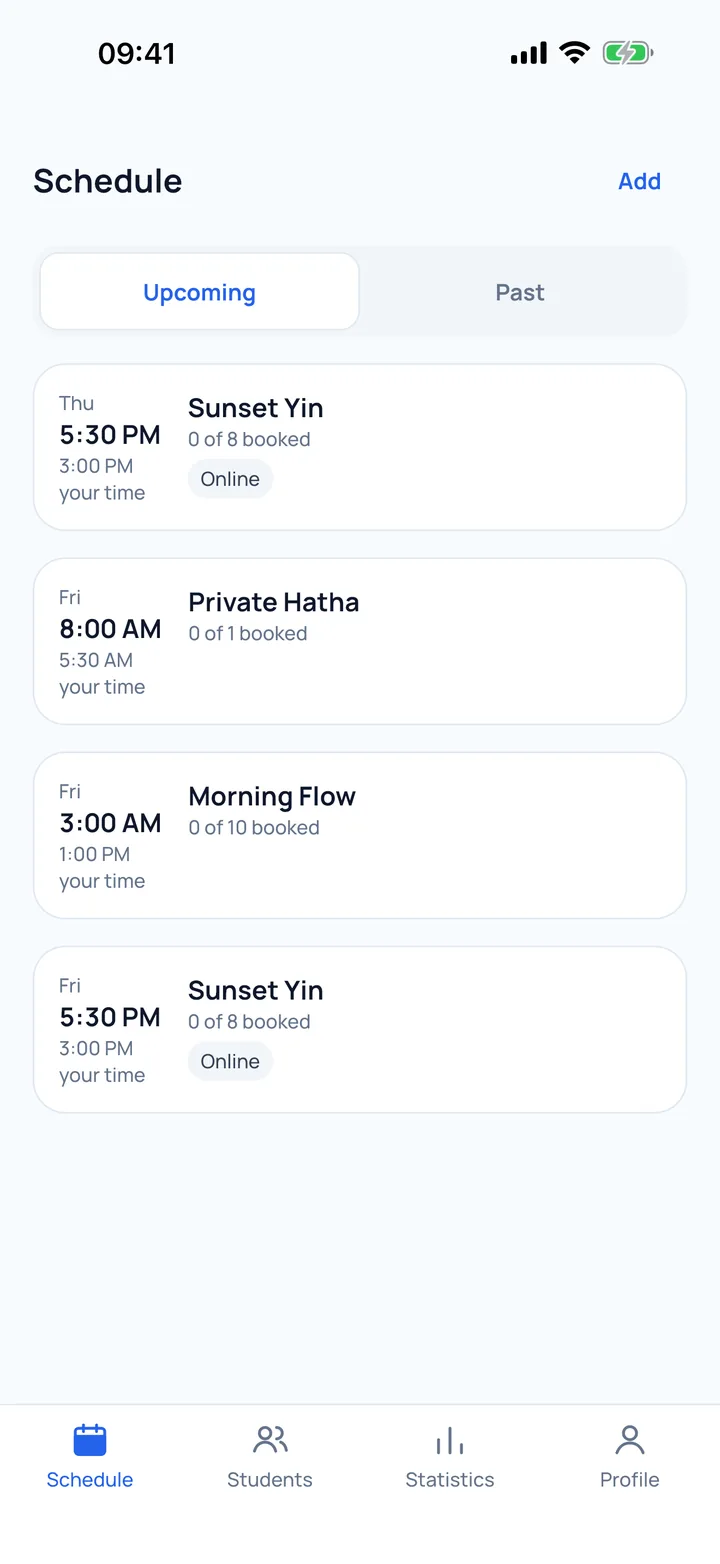
Publish your classes with a pin on the map, and students nearby find them and book in one tap. You see who is coming and how many spots are left, with no website and no chat threads.
Start free in TelegramCore features free · first Premium month free · opens Aura in Telegram or the app

Spreadsheet, chat or an app?
What Aura takes on
Booking, spots, a reminder an hour before each class, notices about changes, and the teacher profile students see. It replaces the spreadsheet and the chat threads.
What stays with you
Teaching, and settling with each student directly. Aura takes no commission.
Where it runs
Inside Telegram on your phone, or in the mobile app: no website to build.
Facts, not promises
- No commission: you settle with students directly
- Core features free; Premium is a subscription with the first month free, and the price is in the app
- Your public teacher page with your own link
- You publish; students on the map book themselves — we do not promise numbers
Start in three steps
Open Aura in Telegram
There is no sign-up form: you enter with your Telegram account. The app also lets you sign in with email, Apple or Google.
Choose the teacher role
Fill in your profile: about you, your yoga styles and your city. The role cannot be changed later.
Publish your first class
It appears on the map straight away, and students can book.
Common questions.
Do I need to install an app?
Not necessarily. Aura opens in Telegram, so you can manage your profile, schedule and bookings from your phone without installing anything. There is also a mobile app if you prefer one.
How much does it cost for a teacher?
The core features are free. Premium is a subscription with the first month free; the price is shown in the app. No commission on your classes: students pay you directly. Booking is free for students.
Can I teach online classes in the app?
Yes. When you publish a class you choose whether it is at a place or online. For an online class you add the link, and only you and the students who booked can see it.
What student data do I see?
For each class you see who has booked and how many spots are left. Next to each student you see their name and, if they signed in with Telegram, their Telegram account.
Can I leave and delete my profile?
Yes. You can request deletion of your account and data; the steps are on the account deletion page of the site.